01
Local-first
Your notes stay on your machine. Use local app storage or connect a portable workspace file you control.
 Scratchpad
A focused Markdown scratchpad for notes, snippets, and everything you need to get out of your head. No account, cloud service, or telemetry.
x64 is for 64-bit Intel and AMD processors. ARM64 is for 64-bit ARM processors, including Snapdragon PCs and ARM Linux computers.
On Windows, check Settings → System → About → System type. On Linux, run uname -m: x86_64 means x64; aarch64 or arm64 means ARM64. The macOS Universal package supports both Apple Silicon and Intel.
Only packages published in the displayed release can be downloaded. A detected processor type is a suggestion; you can change it.
Detecting your platform…
Loading release downloads.
Signed packages: macOS packages from v0.8.2 are Developer ID-signed and notarized by Apple. Windows packages from v0.8.2 are signed and timestamped, though SmartScreen may still warn about new downloads. Linux packages have GPG-signed checksums. Upgrading from beta? Read the upgrade guide before replacing your app. Check GitHub Releases for the version currently available.
This guide describes Scratchpad 1.0. Check GitHub Releases for the version currently available.
Your notes stay on your machine. Use local app storage or connect a portable workspace file you control.
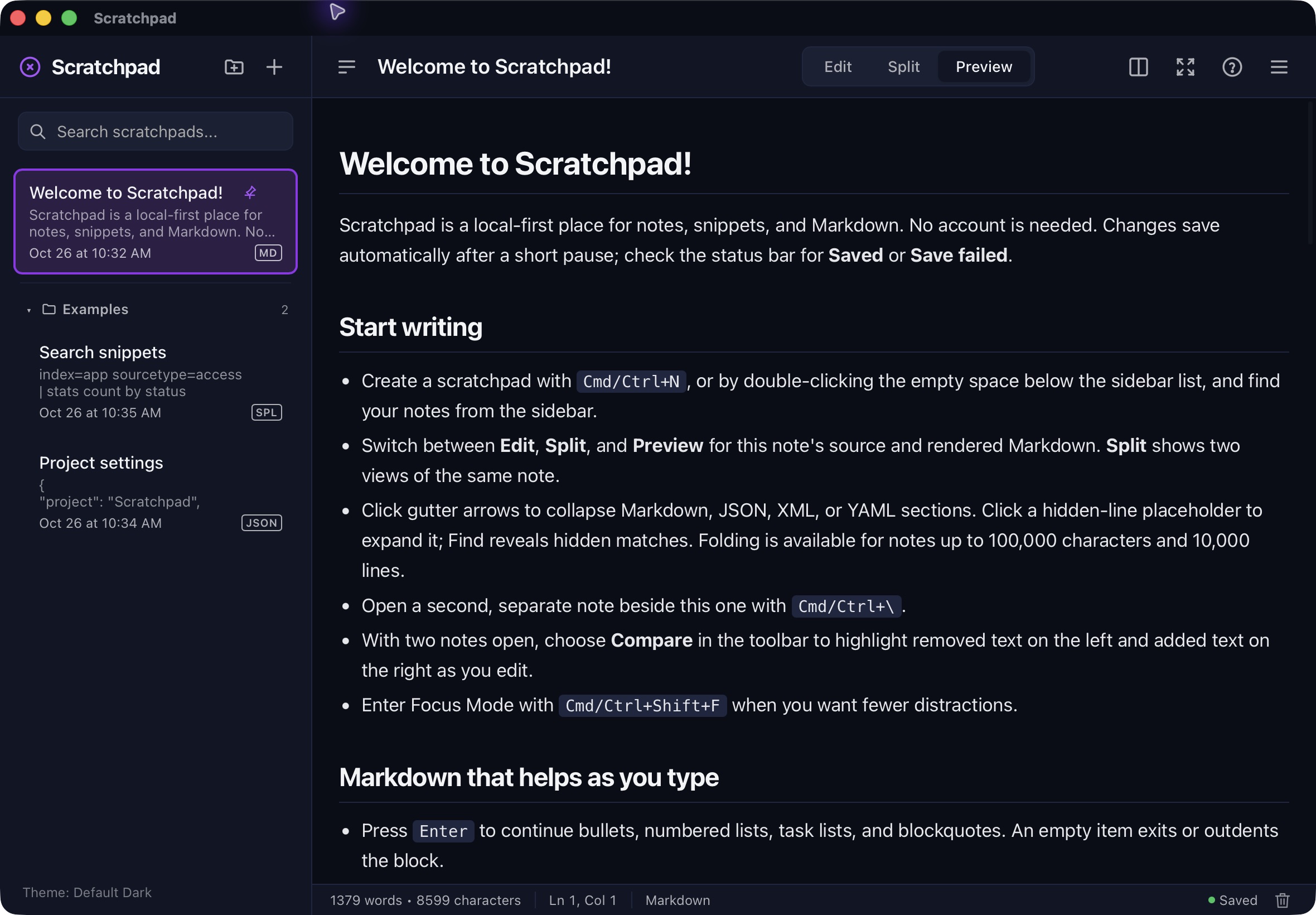
Write with smart list and table helpers, right-click starter templates, optional line numbers and editor coloring, collapsible sections, and language-aware code previews. Detected formats include JSON, YAML, CSV, and Splunk SPL.
Search one scratchpad or all of them with case, exact-match, regex, highlighting, and click-to-jump results.
Choose from modern and retro themes, import your own, and settle into a distraction-free focus mode.
Edit two notes side by side and compare their source differences. Use Edit, Split, or Preview to view one note’s Markdown source and rendered output.
Group notes in folders, pin the ones you need, and recover deleted notes from persistent trash. Back up a complete collection; restore keeps a safety copy before replacement.
Import text, export Markdown or standalone HTML, and print a formatted note through the system dialog. Use print-to-PDF where your operating system offers it.
Connect a local stdio MCP client to the open collection. Access starts off; reads and writes have individual permissions, and every write function starts disabled.
Create a note with Cmd/Ctrl+N. Changes save after a short pause; check the status bar for Saved or Save failed. Press F1 for the bundled user guide, shortcuts, Markdown examples, and MCP reference.
Local notes and portable workspace files hold separate collections of notes, folders, and trash. Opening a workspace switches collections; it does not merge them. Back Up Collection saves the open collection. Restore replaces it after confirmation.
Notes, trash, backups, and recovery copies are unencrypted. Copy important backups outside app data and use one editor instance per collection or workspace file. Autosave does not protect against force-quitting or power loss.
Optional update checks are off by default and send no notes. MCP clients can read unsaved edits and may send returned content to their model provider. Review agent permissions and privacy before connecting.
Choose the operating system, processor type and installer format for your computer. Each package has its own SHA-256 digest.
Loading the newest release notes…
Signed Linux releases from v0.8.2 include a SHA256SUMS file signed with the Scratchpad release-signing key.
Key fingerprint
1AD2 0240 0B0C 14AD 86F4 3E14 4F6B 122C D9DC CB40
Loading packages…
Scratchpad is licensed under GPL-3.0-or-later. Read the code, report an issue, or help shape what comes next.